Saga · For Plex

Your audiobooks,
on the shelf
you own.

A native Android player for your self-hosted Plex library. Chapter navigation, bookmarks, sleep timer, and three warm themes — no subscription, no telemetry, all yours.

No tracking No subscription Your data, your server
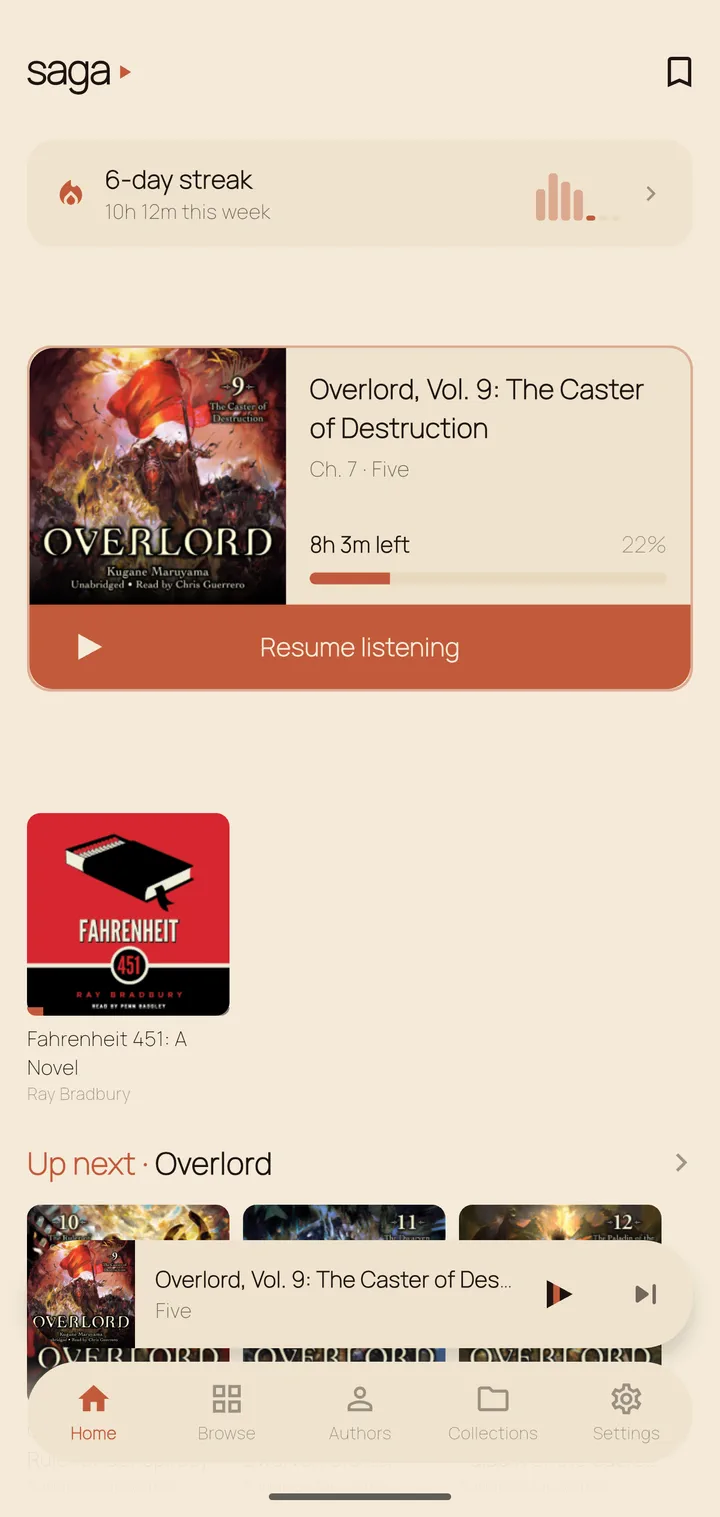
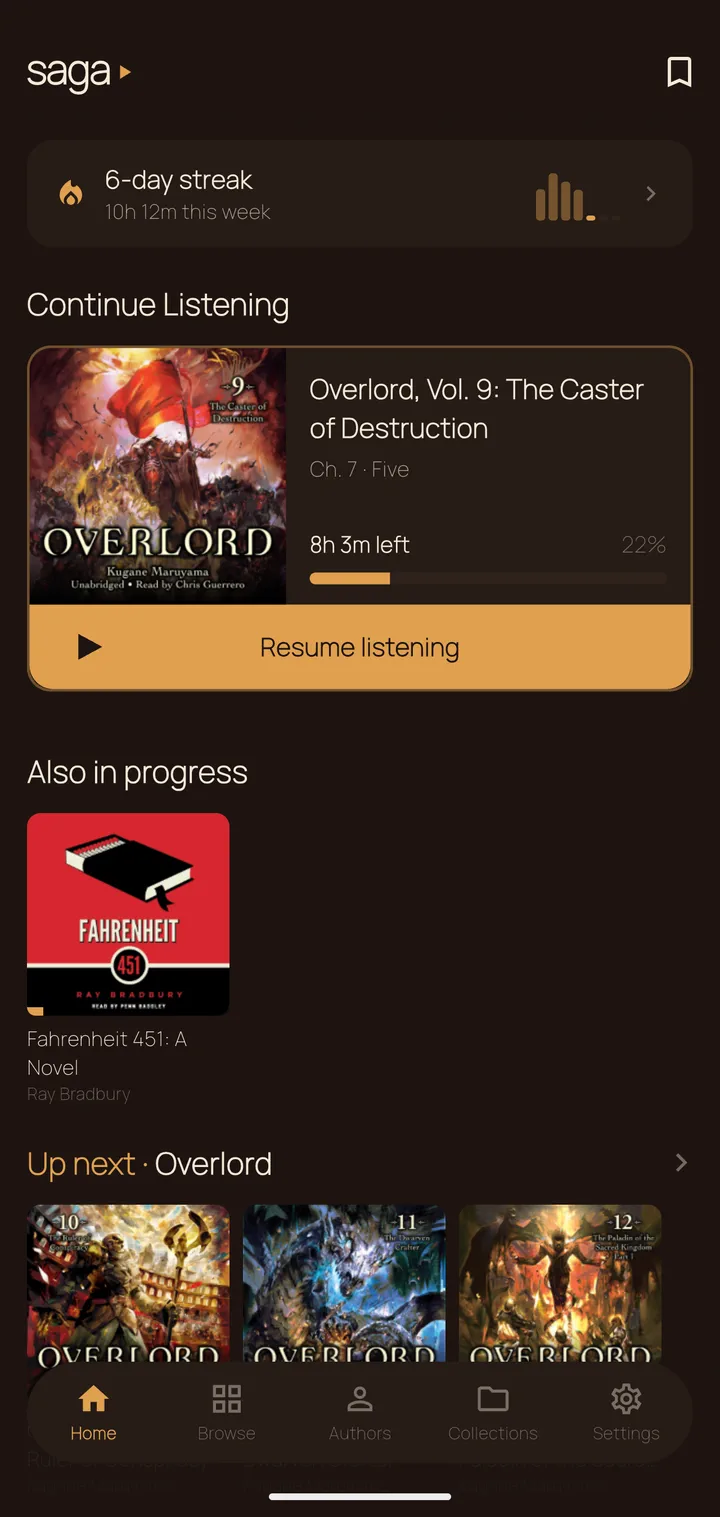
Home screen, cream theme
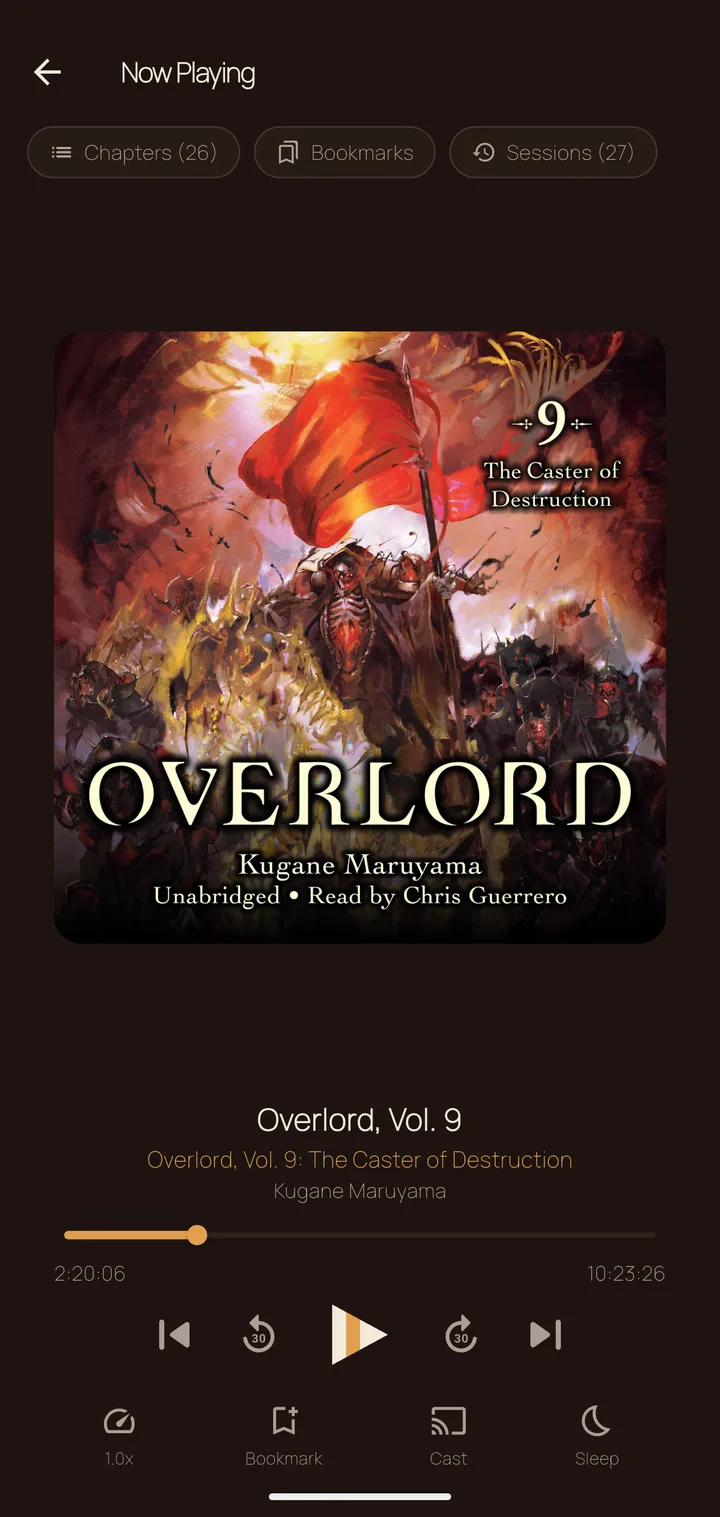
Now Playing screen
The mark is the player

One shape for every state — tap to explore.

Built for listeners

Made for long-form listening.

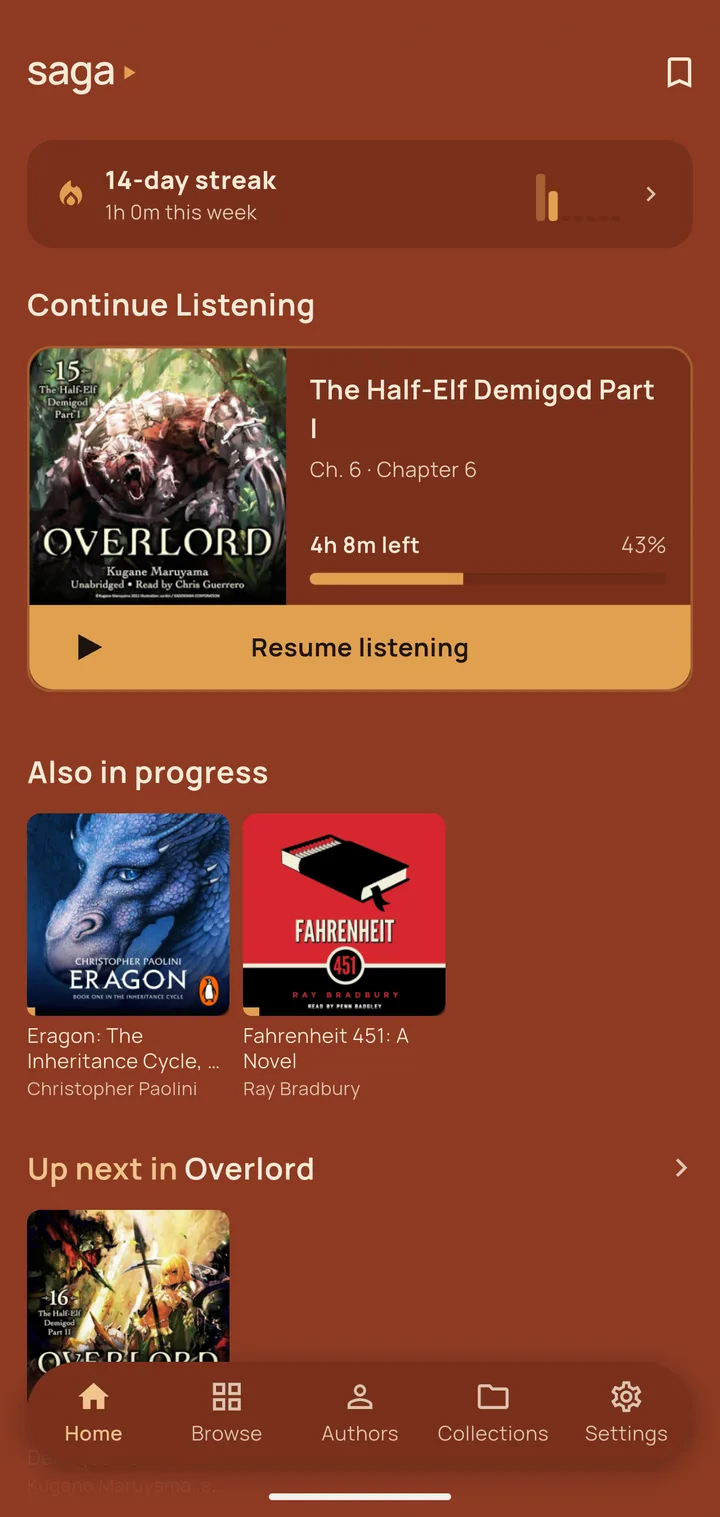
Library screen
01 · Library

Your Plex,
beautifully.

Browse your library, see what’s in progress, and jump back in instantly. Continue Listening and Up Next in Series, always in reach.

Player screen
02 · Playback

Built for
listeners.

Chapter navigation, named bookmarks, variable speed, sleep timer, and Chromecast — all on one screen. Your place is saved automatically.

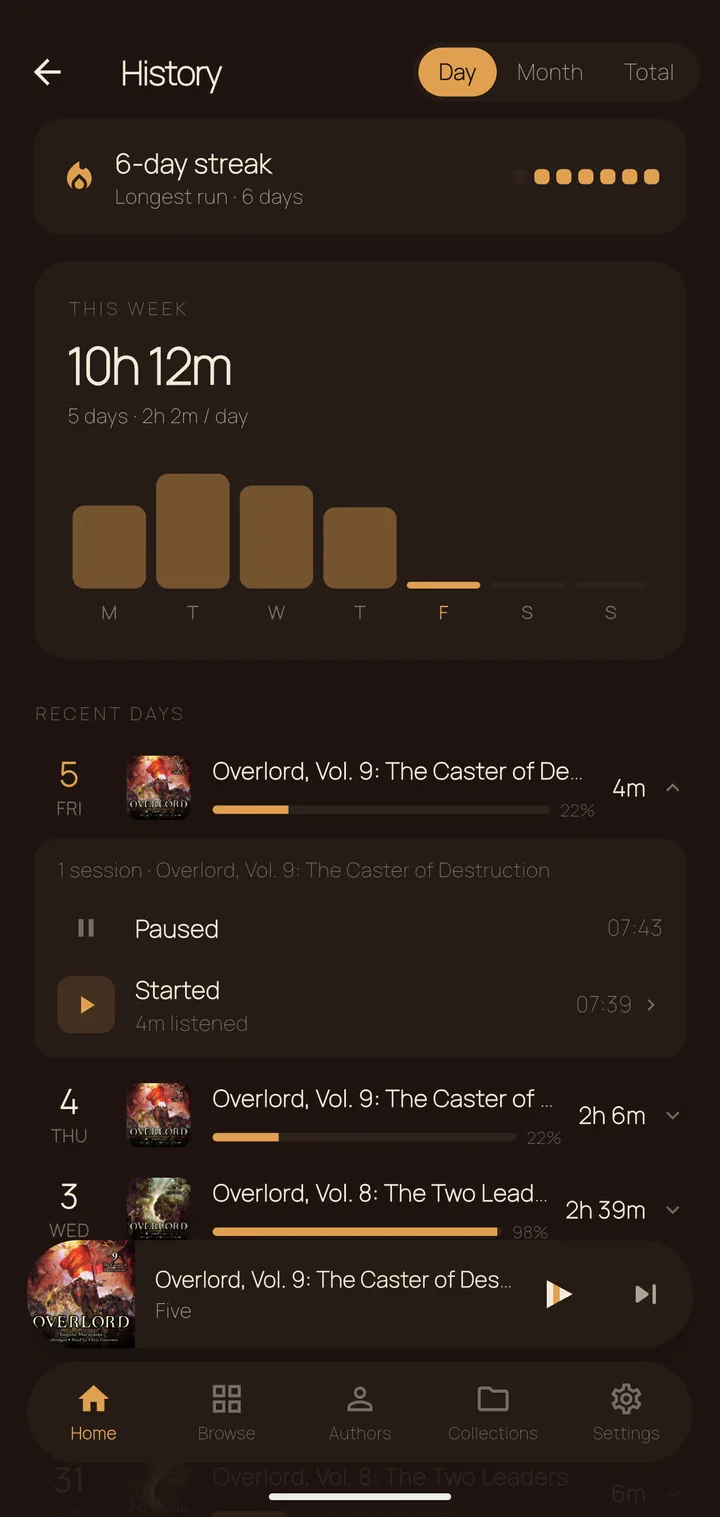
History screen
03 · Stats

Every session,
logged.

Streaks, heatmaps, and a full session log. Three tabs — Day, Month, Total — so you can see exactly how much you’ve been listening.

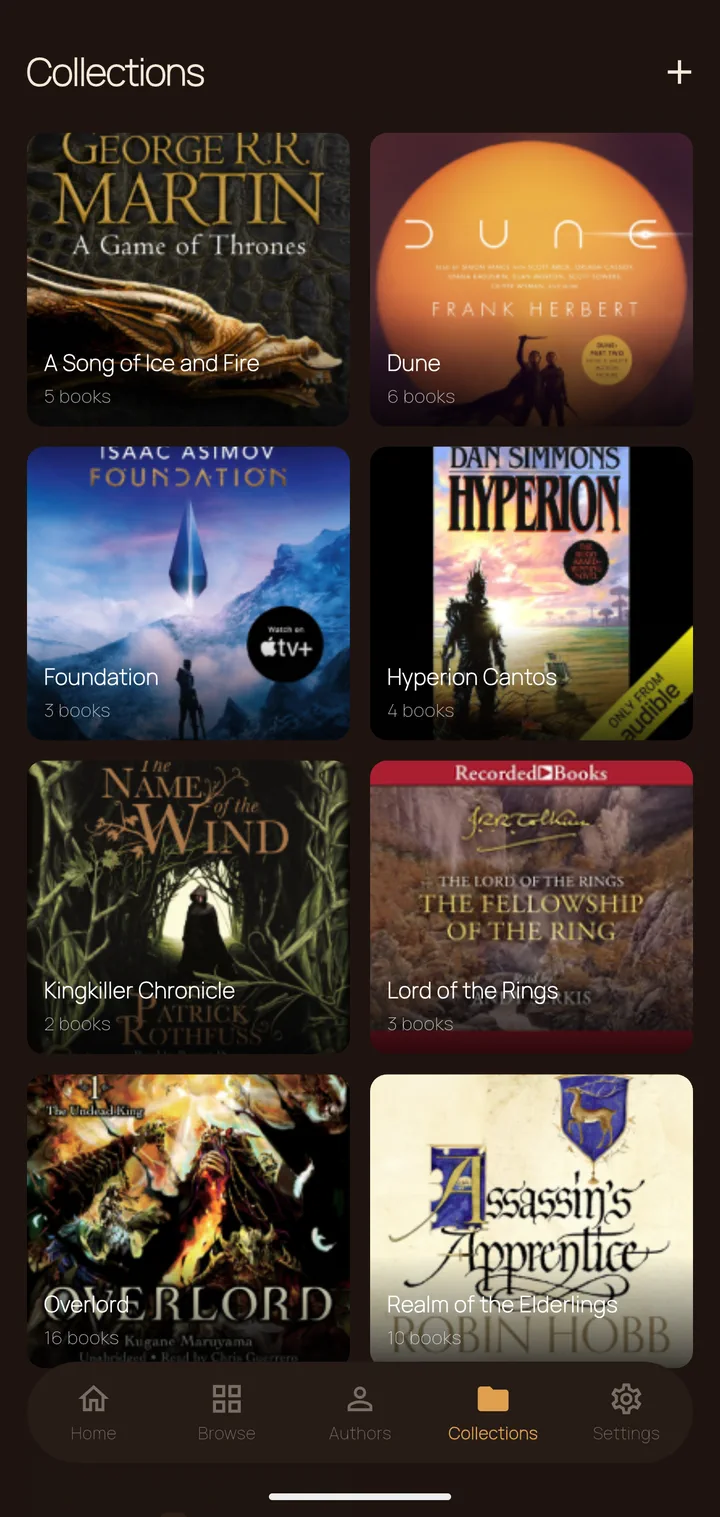
Collections screen
04 · Collections

Your series,
in order.

Build custom collections and drag books into reading order. Saga surfaces the next unstarted book in each series right on your Home screen.

Appearance

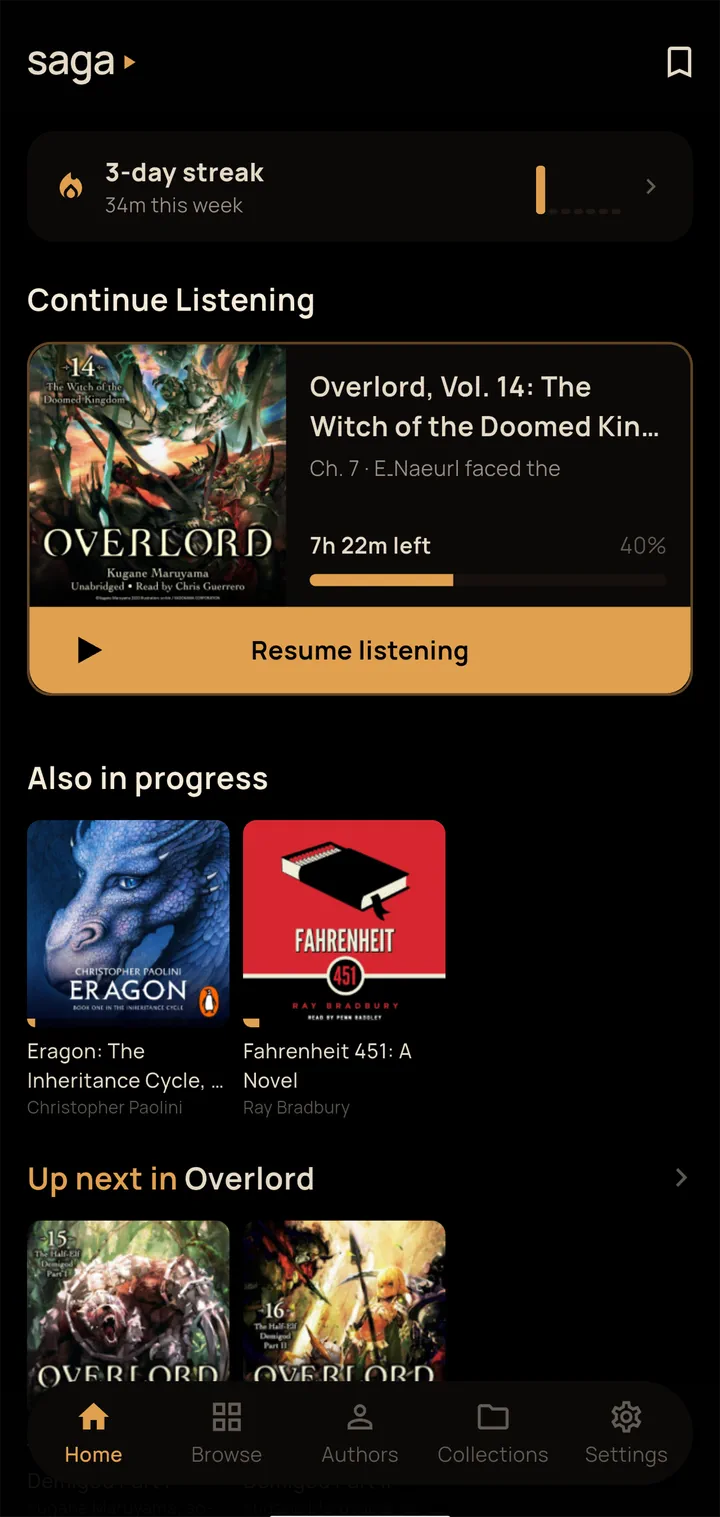
One app, four moods.

Ink theme
Ink
Cream theme
Cream
Terra theme
Terra
Onyx theme — true black for OLED
Onyx
Get Saga

Install in three steps.

1

Enable unknown sources

On your Android device go to Settings → Apps → Special app access → Install unknown apps and allow your browser or file manager.

2

Download the APK

Tap the button to open the latest GitHub Release, then download the saga.apk file directly to your device.

3

Install and sign in

Open the downloaded file, tap Install, then sign in with your Plex account. Saga auto-discovers your server on the local network. Remote access works too.

↓ Download latest APK

To update without losing your data, download the new APK and tap Install — Android preserves your data as long as the app is signed with the same key. Or use adb install -r saga.apk from a desktop.

Good to know

Requires Android 5.0+. A running Plex Media Server with an audiobook library is required.

Prefer not to use mobile data? Enable Wi-Fi-only downloads in Settings — Saga checks your connection before each job and skips metered networks automatically.

Prefer to build from source?
See the README →

Verify your download

Every release ships a SHA-256 checksum. Compare it against the saga.apk.sha256 file on the release page:
Windows: certutil -hashfile saga.apk SHA256
Linux / macOS: sha256sum saga.apk

Releases also carry Sigstore build provenance — cryptographic proof the APK was built by GitHub Actions from this repository's public source. With the GitHub CLI:
gh attestation verify saga.apk --repo gaut3/saga

Releases are published immutable: assets cannot be modified or replaced after publishing.

Privacy

Your data stays yours.

No analytics

No Firebase, no Crashlytics, no tracking SDKs of any kind. The only outbound traffic goes to your own Plex server and plex.tv for sign-in — plus GitHub, only if you opt in to update checks. Every endpoint and permission is documented in the network audit, and you can verify it yourself with PCAPdroid.

Encrypted local storage

Bookmarks, history, and settings are stored in AES-256 encrypted Hive boxes. The key lives in the Android Keystore — never hardcoded, never logged.

No cloud backup

android:allowBackup is disabled. Your data cannot be swept into Google cloud backup or extracted via adb backup.

Portable data

Export all your bookmarks, progress, and listening history to a JSON file at any time. Import it back on a new device or after a reinstall. No credentials are included in the export.